How Volume Profile Works
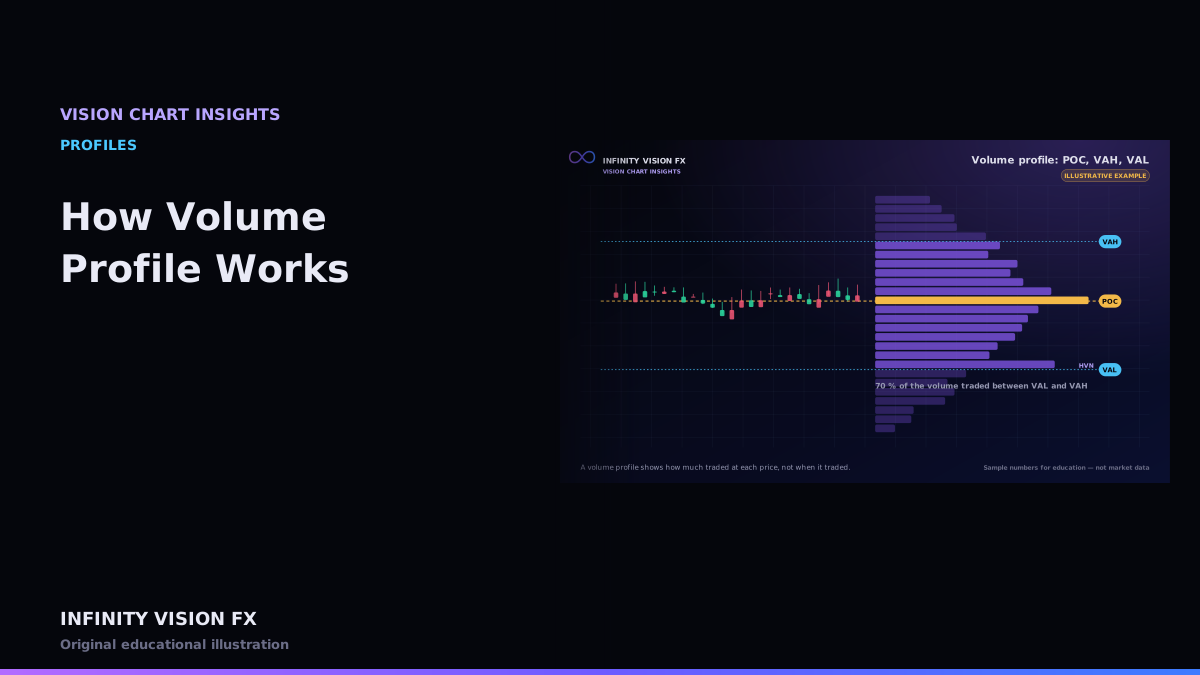
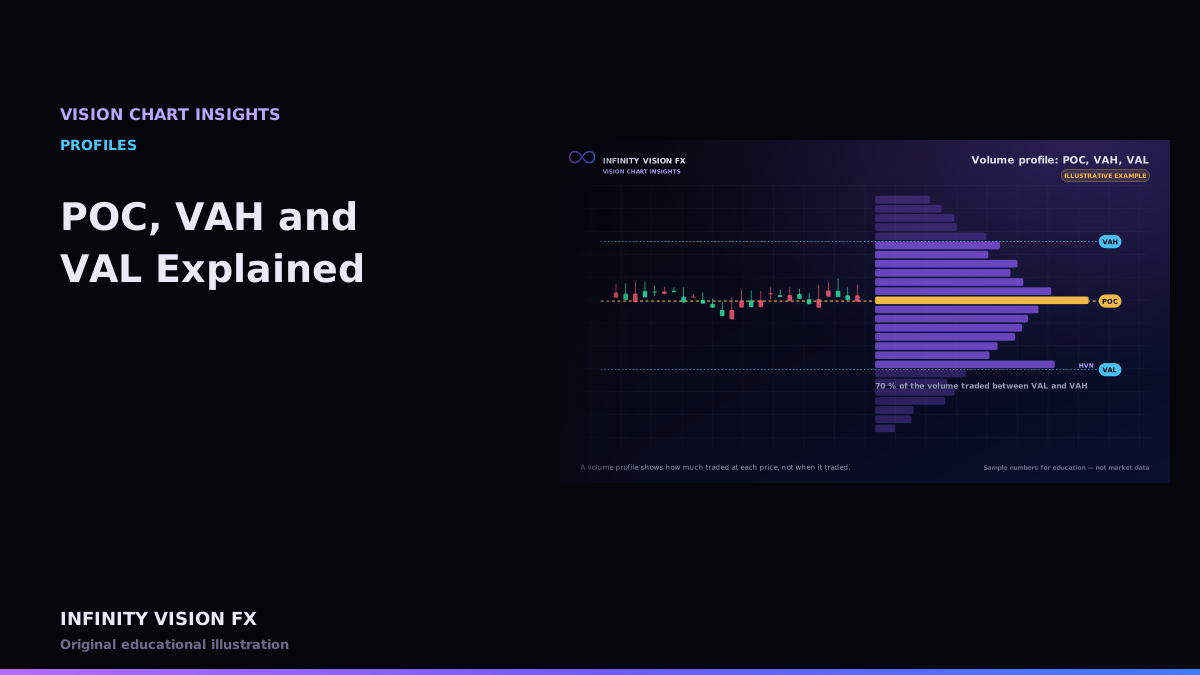
A normal chart tells you when price traded. A volume profile tells you how much traded at each price, regardless of when. It is drawn as a sideways histogram next to the chart.
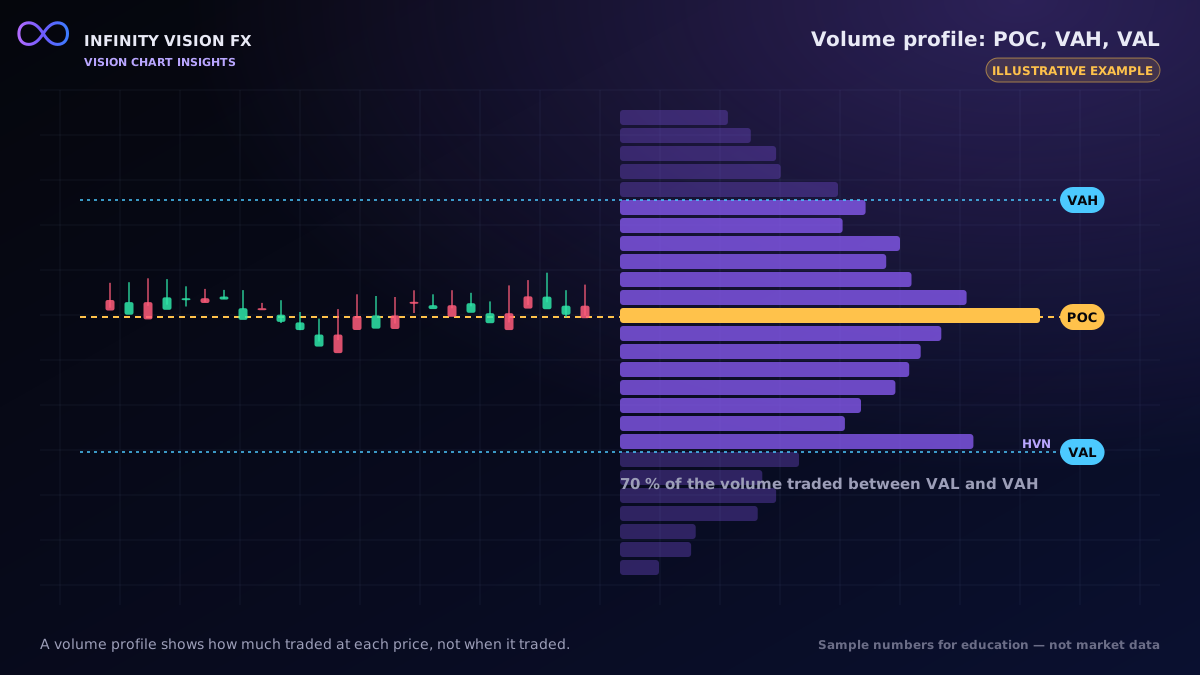
Building a profile
- Choose a range (a session, a fixed period, the visible chart, several sessions).
- For every trade in that range, add its size to the bar at its price (or price group).
- Draw the bars from the highest price to the lowest.
Types of profile in VISION CHART
- Session profile — one CME session (17:00–16:00 Chicago time).
- Fixed range — between two times you choose.
- Visible range — whatever is on screen.
- Composite — several sessions combined.
- Developing — the POC and value area as they evolve during the session, recalculated only from trades that have already happened.
Interactive example: open this article on the Infinity Vision FX website to use it.
Key levels
- POC (point of control) — the price with the most volume.
- Value area — the range around the POC containing a chosen share of volume (70 % by default).
- HVN / LVN — high- and low-volume nodes: peaks and troughs in the histogram.
The exact method for the value area is covered in POC, VAH and VAL Explained.
Data requirements and limitations
A true volume profile needs traded volume at each price. A profile estimated from candles must spread each candle's volume across its range and is only an approximation. Also, profiles say nothing about direction: the same volume at a price could come from buyers or sellers.
A worked example (illustrative)
Suppose these volumes traded during a session:
| Price | Volume |
|---|---|
| 2403.0 | 40 |
| 2402.8 | 90 |
| 2402.6 | 210 |
| 2402.4 | 160 |
| 2402.2 | 80 |
The POC is 2402.6. Starting there (210), the value-area algorithm adds the larger neighbour each step: 160 (2402.4), then 90 (2402.8), reaching 460 of 580 contracts — 79 %, above the 70 % target. The value area is 2402.4–2402.8.
Interactive example: open this article on the Infinity Vision FX website to use it.
HVNs and LVNs
High-volume nodes are peaks in the profile — prices where the market spent effort trading. Low-volume nodes are troughs — prices the market moved through quickly. VISION CHART smooths the profile slightly before finding them, so one-tick noise does not create false nodes.
Choosing the range
A session profile answers "where was value today?". A composite of several sessions answers "where has value been building this week?". A fixed range lets you study one swing. Always say which range you are using when you discuss a POC.
Key takeaways
- Volume profile shows volume by price, not by time.
- POC and value area summarise where trading concentrated.
- The range you choose defines the profile.
Next article: POC, VAH and VAL Explained
Educational content only, not financial advice. Examples and illustrations use sample numbers and are not observations of real market activity. Order flow describes past and present activity; it does not predict prices.