POC, VAH and VAL Explained
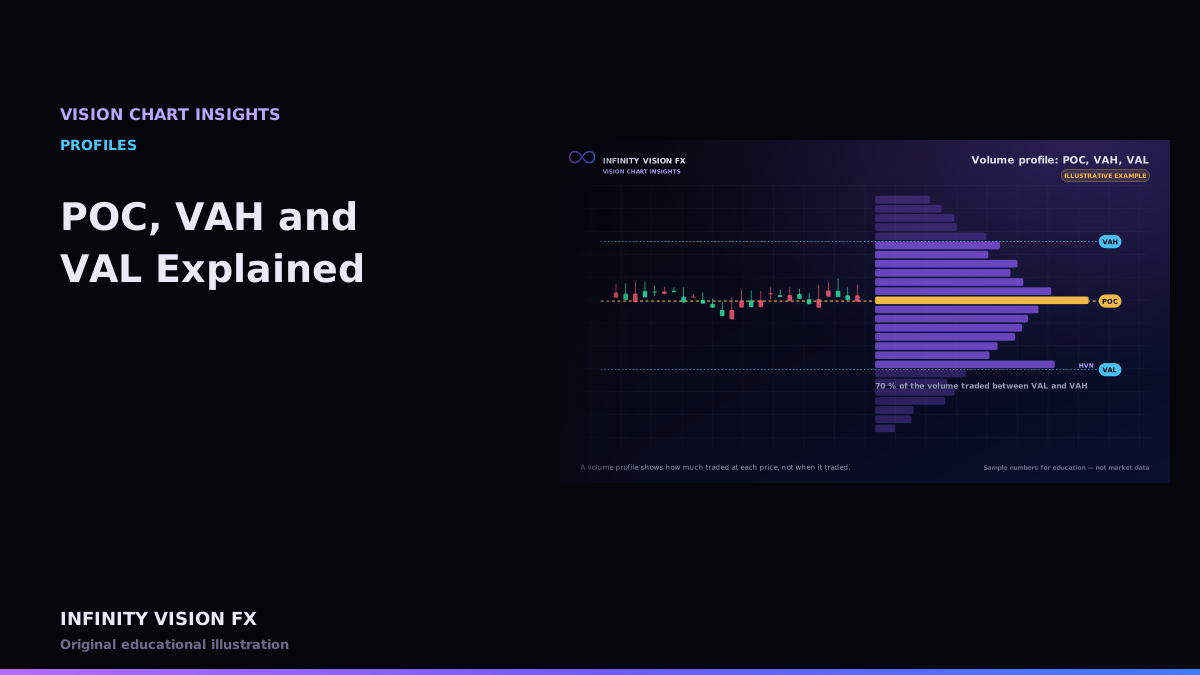
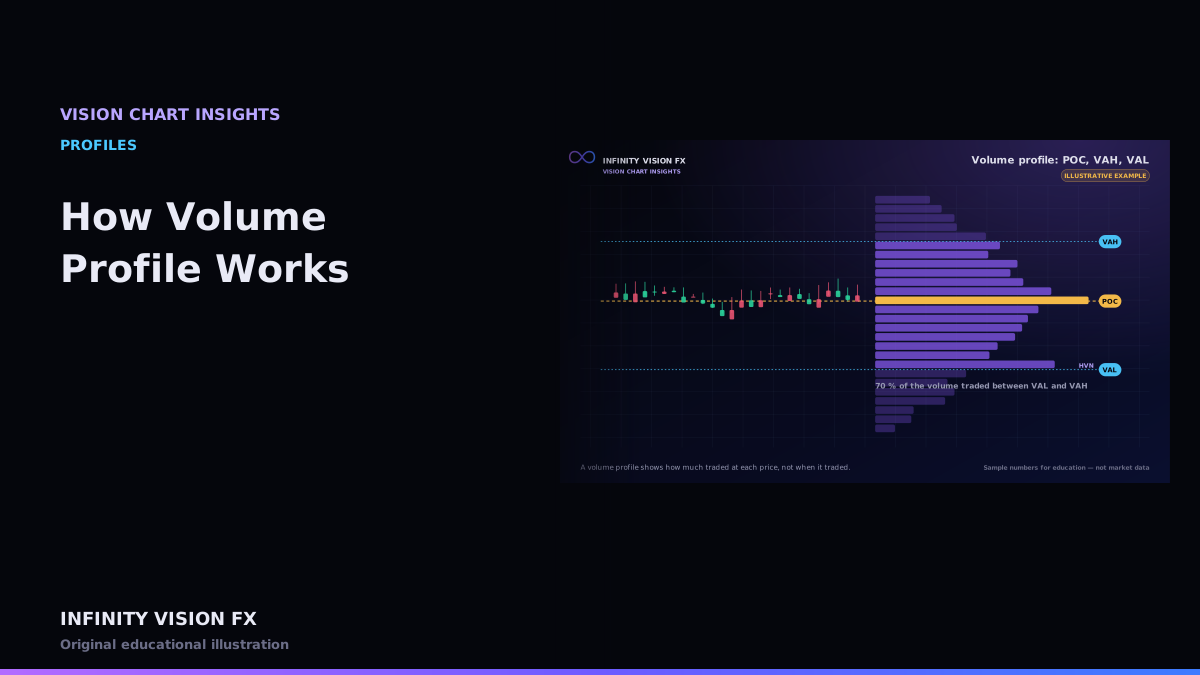
Point of control (POC), value area high (VAH) and value area low (VAL) are the three levels most traders take from a volume profile. They are easy to draw and easy to misuse.
Point of control
The POC is the price level with the largest traded volume in the profile. If two levels tie, VISION CHART takes the first one found from the top of the profile.
The value area, step by step
The value area is the price range that contains a chosen percentage of the profile's volume — 70 % by default.
- Start at the POC; the running total is the POC's volume.
- Look at the next level above and the next level below the current area.
- Add whichever of the two has more volume (above wins a tie).
- Repeat until the running total reaches 70 % of all volume.
- The highest included price is the VAH, the lowest the VAL.
Interactive example: open this article on the Infinity Vision FX website to use it.
Illustrative example
Imagine a session where 10,000 contracts traded and the POC at 2402.2 holds 1,200. The algorithm keeps adding neighbours until about 7,000 contracts are included — say from 2399.8 to 2404.1. Those become VAL and VAH.
How traders use these levels
- Price returning inside the value area after trading outside it is often discussed as "acceptance".
- Price leaving the value area and holding outside it is often discussed as a "rejection" of the old value.
- A POC that shifts during the session (developing POC) shows where trading is migrating.
These are descriptive concepts, not rules that price must follow.
Developing levels
During a session, VISION CHART can show the developing POC: the POC recalculated after each bar using only the trades so far. A POC that keeps migrating upward suggests trading activity is building at higher prices; a POC stuck in place while price explores suggests the market has not accepted the new prices yet.
Choosing the percentage
70 % is a convention, not a law. Some traders use 68 % (one standard deviation of a normal distribution) or 80 %. A wider value area includes more prices and makes "outside value" rarer. VISION CHART lets you change the percentage and always shows which one is in use.
Data requirements
A precise POC needs traded volume at each price. Using candle volume spread evenly across each candle's range produces a rough approximation that can shift the POC by several ticks.
Key takeaways
- POC = most-traded price; VAH/VAL = edges of the 70 % value area.
- Know the exact algorithm and percentage you use.
- Treat the levels as reference areas, not guaranteed turning points.
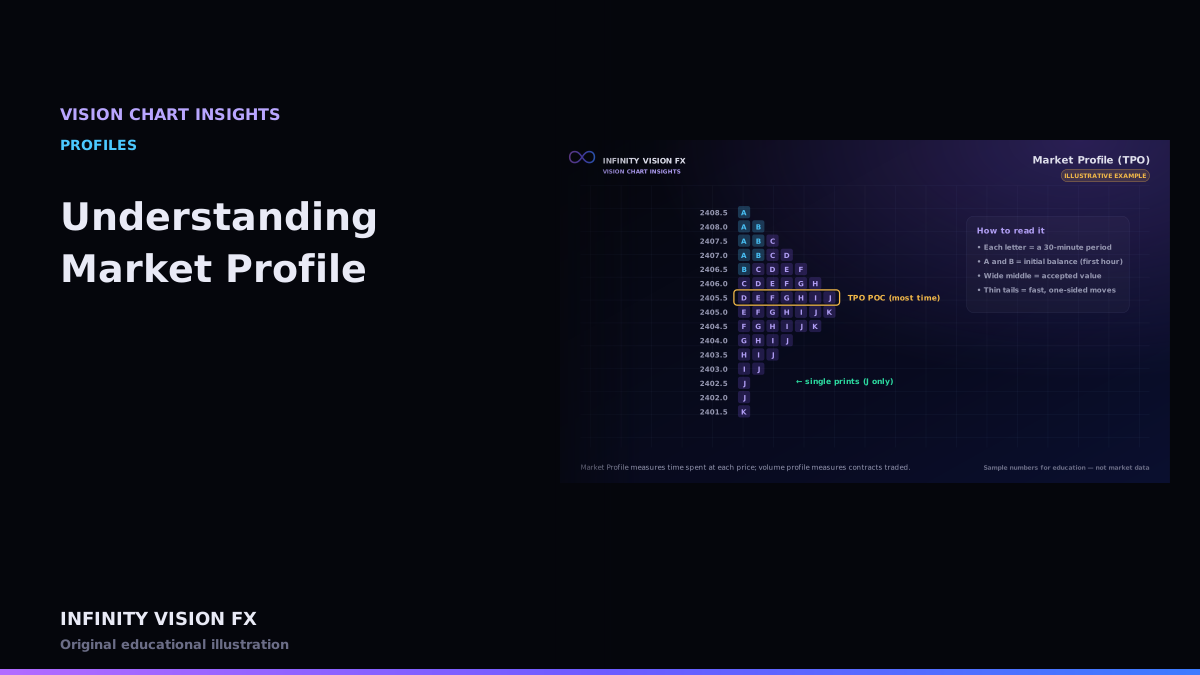
Next article: Understanding Market Profile
Educational content only, not financial advice. Examples and illustrations use sample numbers and are not observations of real market activity. Order flow describes past and present activity; it does not predict prices.