What Is a Liquidity Heatmap?
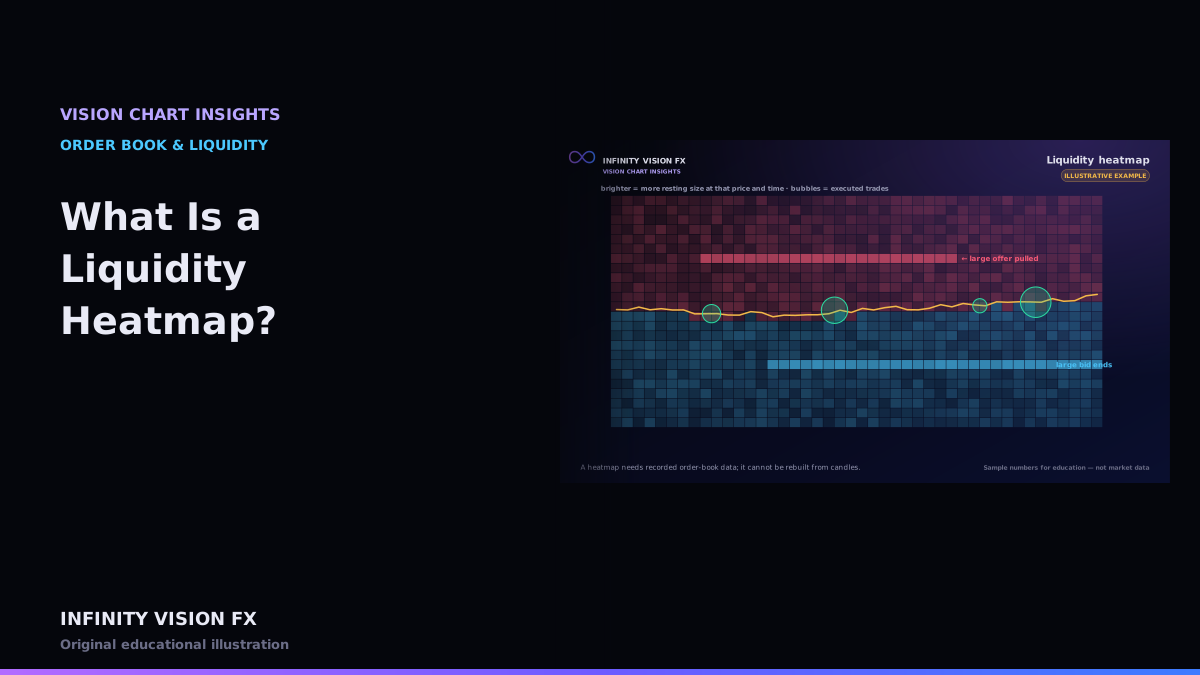
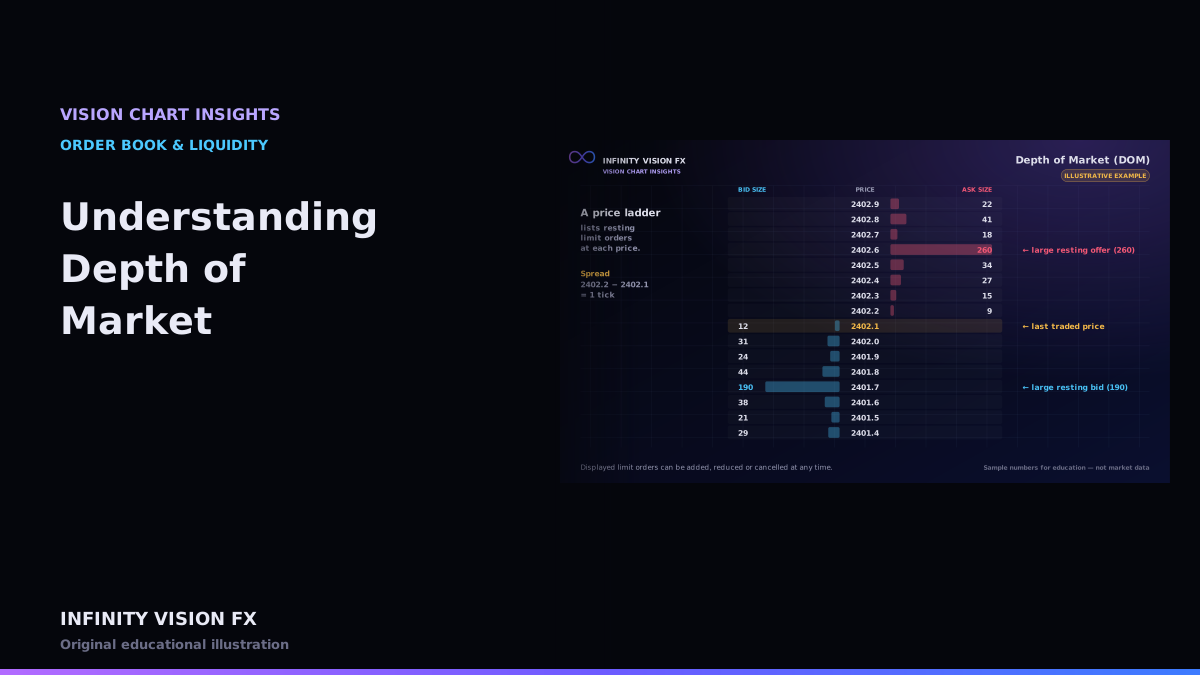
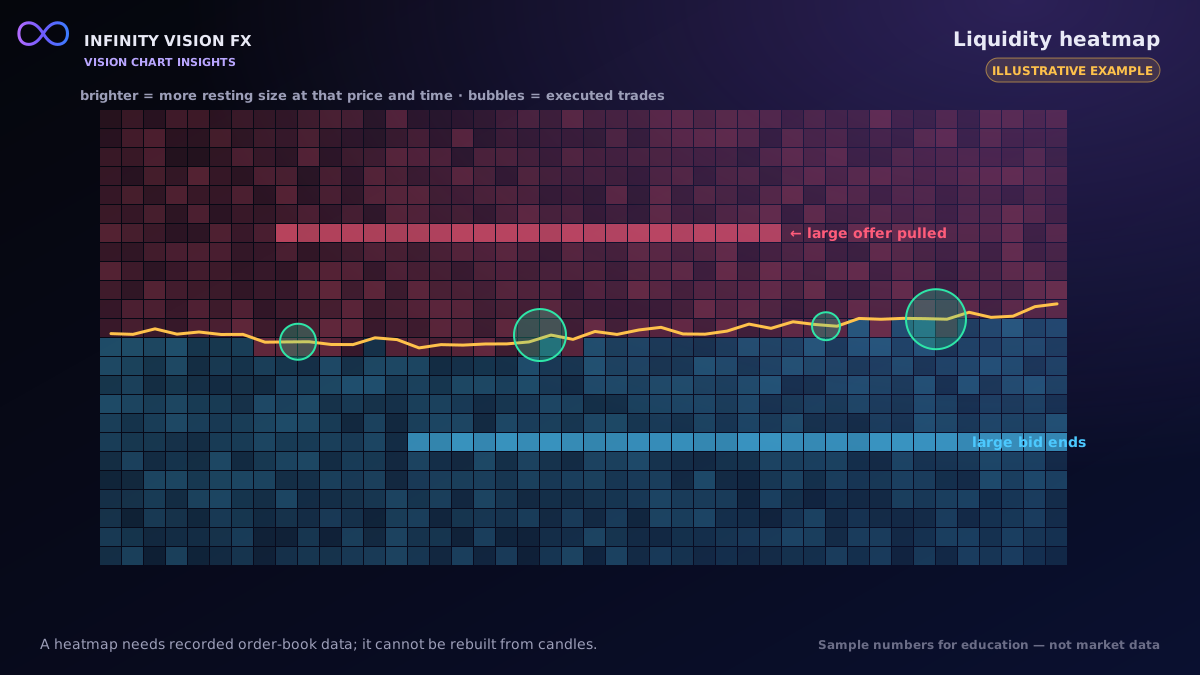
A DOM shows the order book right now. A liquidity heatmap records that book over time and paints it as a picture: price on the vertical axis, time on the horizontal axis, and colour intensity for the size resting at each price.
What you can see
- Liquidity concentration — prices where large size rested for a long time.
- Appearance and disappearance — size arriving or vanishing at a price.
- Large resting orders — unusually big displayed size relative to the rest of the book.
- Trade bubbles — executions plotted on top, sized by volume.
Data requirements
A genuine heatmap needs recorded Level 2 data: snapshots of the book plus every incremental update, with sequence numbers so gaps can be detected. Historical heatmaps need that data stored for the whole period.
Reading it carefully
- Displayed size is intent that can be cancelled. Large orders sometimes disappear as price approaches.
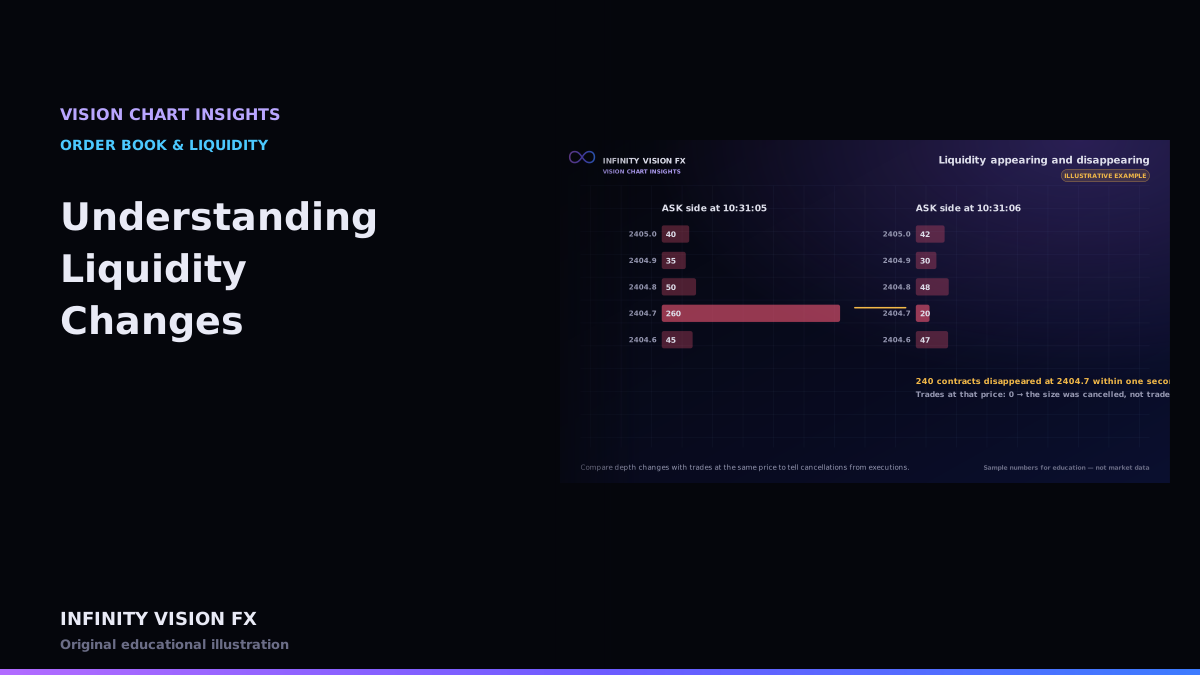
- When size disappears, check the tape: if trades happened at that price, the size was executed; if not, it was cancelled. See Understanding Liquidity Changes.
- Hidden (iceberg) orders do not show their full size at all.
Interactive example: open this article on the Infinity Vision FX website to use it.
Settings
Intensity, transparency, colour presets and tick grouping change how the picture looks. Always compare like with like.
How VISION CHART builds the picture
- The order book is kept up to date from a snapshot plus every depth update, checked by sequence number.
- Once per second (of market time), the top 40 levels on each side are recorded as one column.
- Each cell's colour comes from its size compared with the largest size on screen, using the colour preset and intensity you choose.
- Trades are drawn on top as bubbles, so you can see whether price traded into a bright area or the area faded before price arrived.
If an update is missing, the book is marked out of sync and the heatmap waits for a fresh snapshot rather than filling the gap with guesses.
A practical reading (illustrative)
A bright band of offers sits two dollars above the market for twenty minutes. As price rises toward it, the band thins out and disappears one tick before price arrives, with no trades at that price. The order flow observation is: displayed selling interest was withdrawn. It does not tell you why — the participant may have changed their mind, moved the order, or never intended to trade.
Limitations
- Snapshots are sampled: very short-lived orders between samples may not appear.
- Different vendors provide different depth (for example 10 levels vs full book), which changes the picture.
Key takeaways
- A heatmap is a time history of the displayed order book.
- It requires real recorded depth data.
- Displayed liquidity can change instantly; confirm with executed trades.
Next article: Understanding Depth of Market
Educational content only, not financial advice. Examples and illustrations use sample numbers and are not observations of real market activity. Order flow describes past and present activity; it does not predict prices.