Understanding Depth of Market
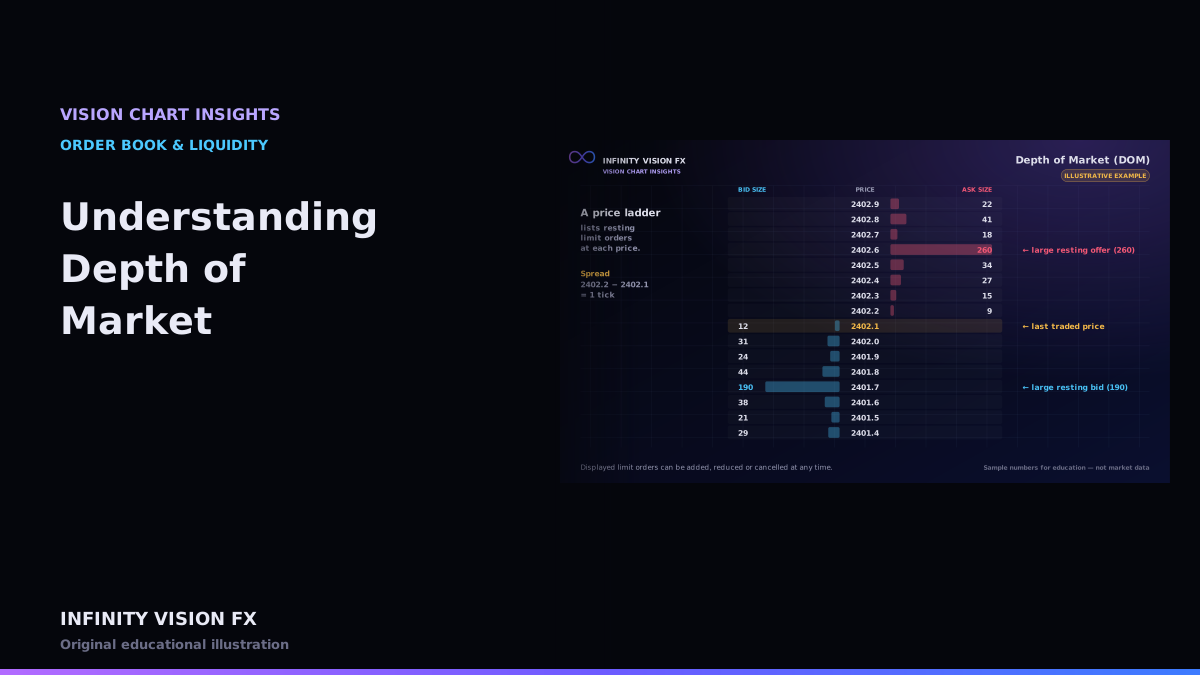
The Depth of Market (DOM), also called a price ladder, lists prices vertically with the size of resting limit orders at each one. Bids sit below the market, asks above.
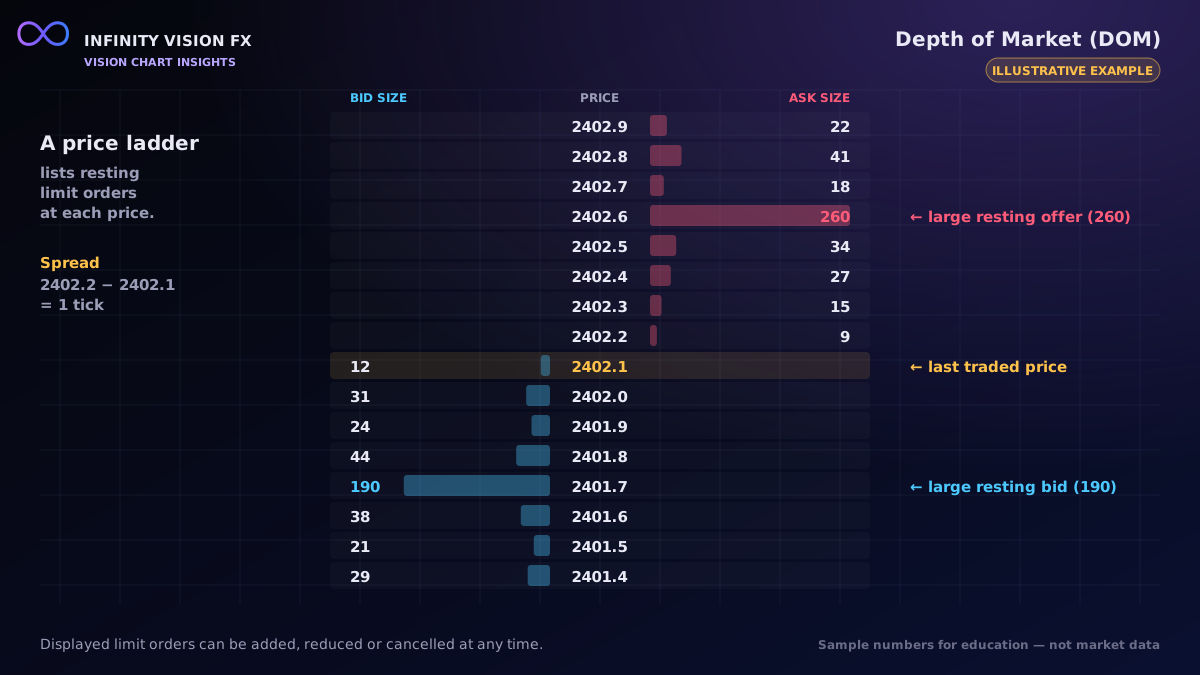
Columns in VISION CHART's DOM
| Column | Meaning |
|---|---|
| Bid size / Ask size | displayed resting size at that price |
| Cumulative bid / ask | total size from the best price out to this level |
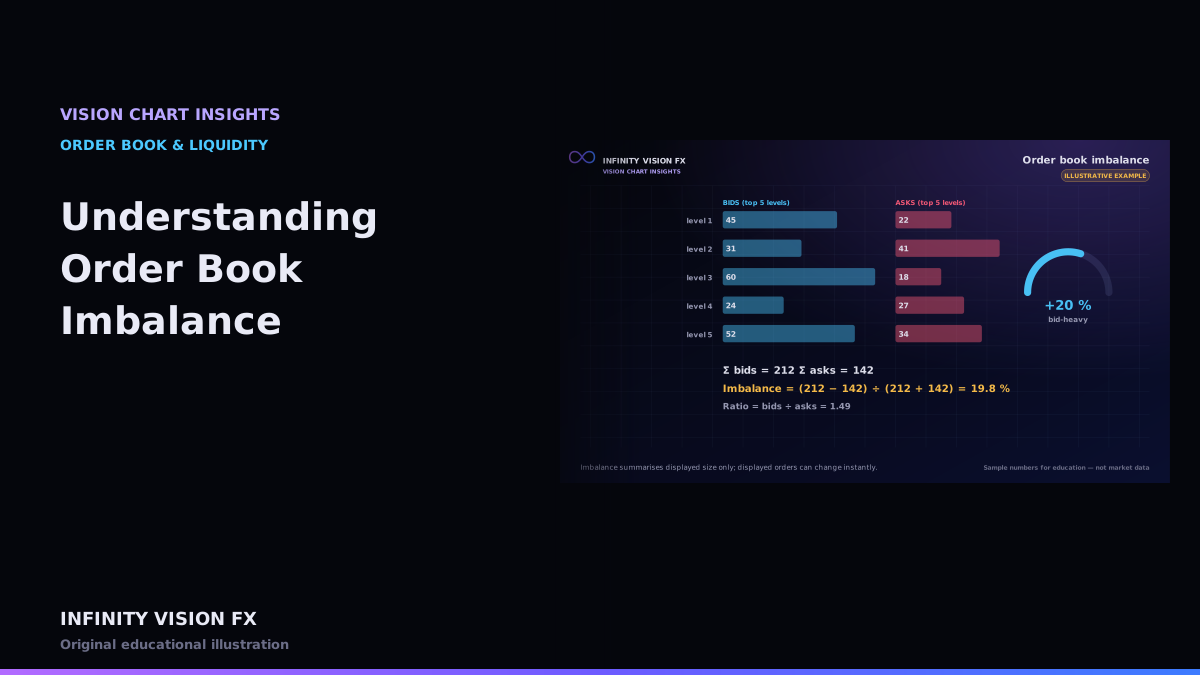
| Imbalance | bid vs ask size comparison at that row |
| Recent volume | contracts traded at that price recently |
| Change | how much the displayed size changed |
Interactive example: open this article on the Infinity Vision FX website to use it.
Things a DOM can show
- Best bid and ask and the spread between them.
- Large resting orders that stand out from neighbouring levels.
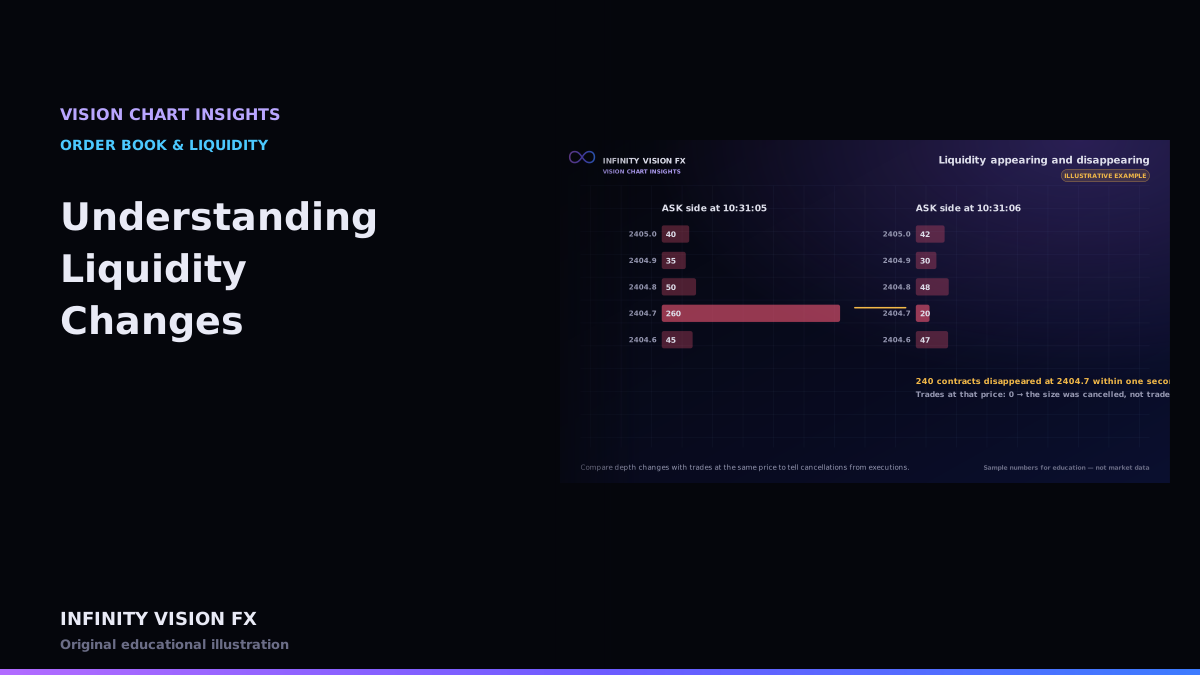
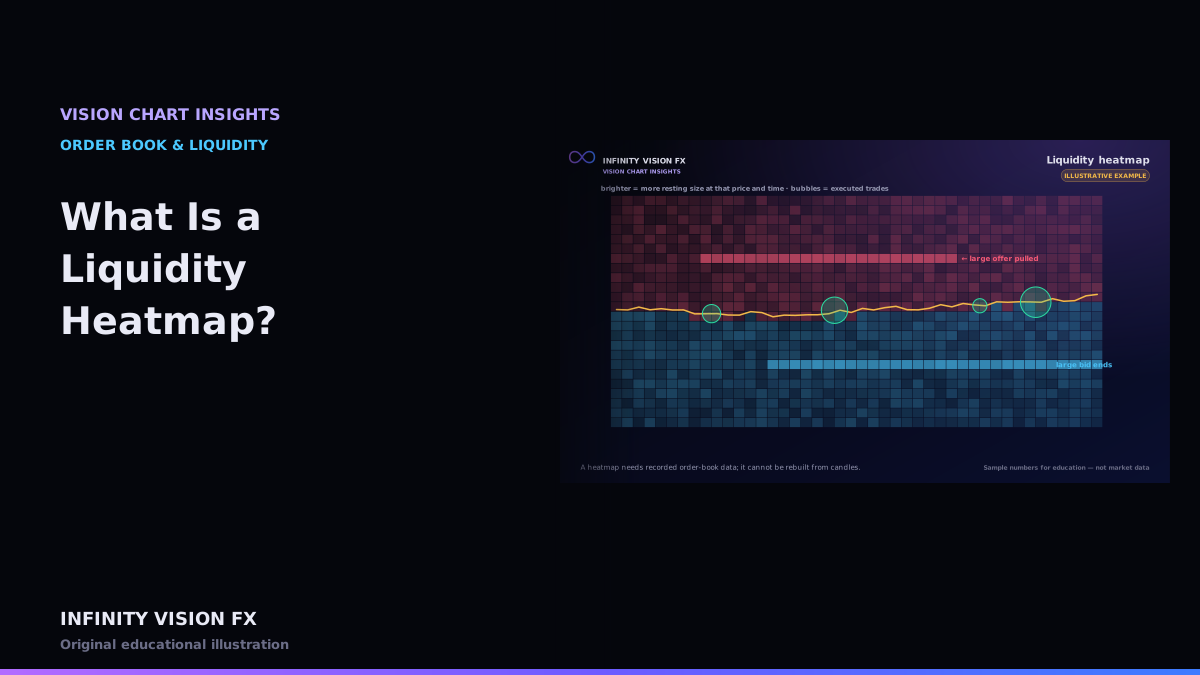
- Liquidity changes as orders are added, reduced or cancelled.
Things a DOM cannot show
- Hidden size from iceberg orders.
- Who placed an order or whether it will stay.
- Orders resting on other venues (for gold: the OTC spot market).
Cumulative depth
Adding size from the spread outward gives the cumulative depth. Plotted, it becomes the cumulative depth chart — two staircases meeting at the spread. See the cumulative depth chart in the terminal.
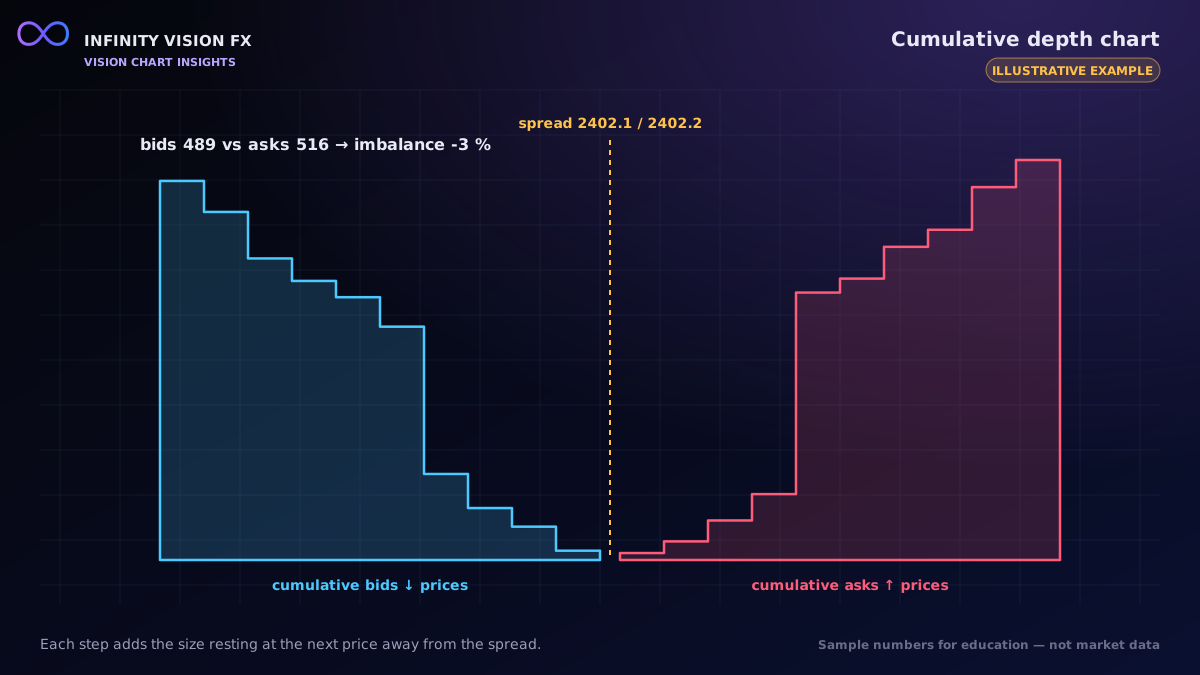
Reading the ladder step by step (illustrative)
- Find the last traded price (highlighted). It is usually at the best bid or best ask.
- Read the spread: in active GC trading it is often one tick (0.10).
- Scan the bid and ask columns for sizes that are much larger than their neighbours.
- Watch the change column: is size being added, reduced or removed near the market?
- Compare with the recent volume column: prices that actually traded show volume there.
Tick grouping
Grouping several ticks into one row (for example 5 ticks) makes a busy ladder easier to read but merges separate orders. VISION CHART shows the grouping you choose next to the ladder.
Data requirements and limitations
- Level 2 market depth with sequence numbers; Market-by-Order data adds individual order detail.
- Most retail data plans show a limited number of levels on each side.
- Displayed size can change faster than a screen refresh; the DOM is a snapshot of intentions, not a promise.
Key takeaways
- The DOM shows displayed limit orders at each price.
- Size can be cancelled at any time; it is not a commitment.
- Combine the DOM with the tape to see what actually trades.
Next article: How Volume Profile Works
Educational content only, not financial advice. Examples and illustrations use sample numbers and are not observations of real market activity. Order flow describes past and present activity; it does not predict prices.